

Top 10 Ergonomic Equipment Every Office Should Have!
If your team sits for six or more hours a day — and most office workers do — the furniture and equipment around them either supports their body or works against it. The difference shows up in back pain, fatigue, turnover, and workers' comp claims. The right ergonomic setup doesn't require a full office redesign. Here are the 10 items every Southern California office should have in place, ranked by impact.
How to Actually Implement This in Your Office
Most companies don't need all ten items at once. Prioritize by role and usage.
For desk-based employees (6+ hours seated daily):
Start with the chair. An ergonomic task chair with adjustable lumbar, seat depth, and armrests is the single highest-impact purchase. For Southern California offices, is built to order in Hawthorne, CA. Shorter lead times than imported alternatives with a wide range of adjustment options.
For employees using height-adjustable desks:
A standard chair doesn't work well at a raised desk. The was designed for exactly this, it adjusts from seated height all the way to near-standing so your team can actually use the desk the way it was intended.
For monitor and keyboard setup:
A monitor arm is the fastest fix for neck and eye strain. makes monitor arms and surface risers that fit most commercial workstation configurations without permanent modifications.
The honest shortcut:
Contract Office Reps works with Southern California businesses to assess their current setup and recommend the right products for their budget — at no charge. We spec it and connect you with a local dealer to complete the purchase.
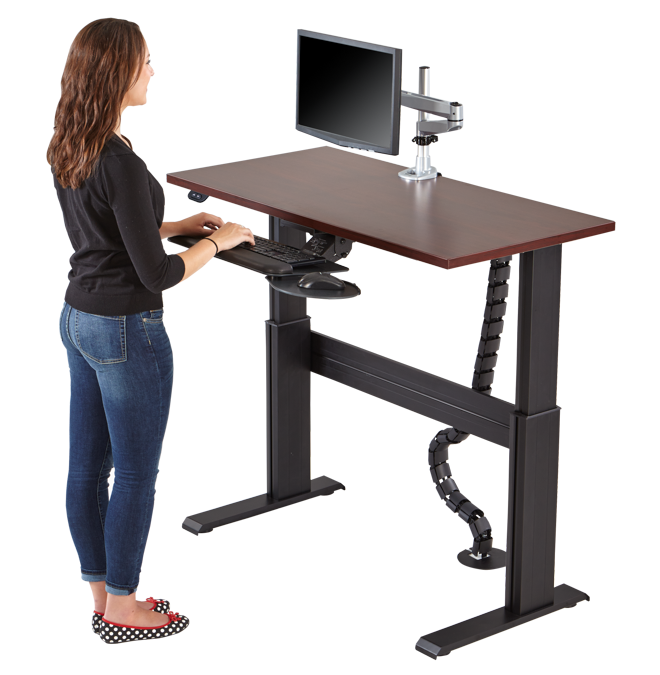
Here are the top 10 ergonomic equipment every office should have:
Click on the links of our recommendations
Ergonomic office chair: A chair that supports the natural curve of your spine and has adjustable lumbar support, armrests, and seat height is essential for maintaining good posture.
Adjustable keyboard and mouse: These devices should be adjustable to fit your body size and work surface, so that you can maintain a neutral wrist position and avoid repetitive strain injuries.
Standing desk or sit-stand converter: A standing desk or converter allows you to switch between sitting and standing throughout the day, reducing the risk of back pain and fatigue.
Ergonomic keyboard: An ergonomic keyboard is designed to reduce muscle strain and prevent carpal tunnel syndrome. It often has a split design and tenting to keep your wrists in a neutral position.
Ergonomic mouse: An ergonomic mouse is designed to reduce muscle strain and prevent carpal tunnel syndrome. It is often contoured to fit the shape of your hand, and can be used with either hand.
Footrest: A footrest allows you to elevate your feet, reducing the pressure on your lower back and improving circulation.
Monitor arm or stand: A monitor arm or stand allows you to adjust the height and angle of your monitor to reduce neck and eye strain.
Document holder: A document holder keeps your documents at eye level, reducing the need to look down and causing neck and eye strain.
Anti-glare screen filter: An anti-glare screen filter helps to reduce glare and reflections on your computer screen, reducing eye strain. A good mon
Ergonomic office accessories: Accessories such as a wrist rest or gel pad for the mouse can help to reduce muscle strain and improve comfort. Ensure to follow the manufacturers instructions for these types of items.
Investing in ergonomic equipment for your office can be an investment in the well-being of your employees. It will help to reduce the risk of injury, improve productivity and job satisfaction, and create a more comfortable and healthy work environment. It is important to consider the needs of all employees, including those with disabilities and limitations, when implementing ergonomic office equipment.
“Contact Us” for more information and help with ergonomic equipment.